TL;DR
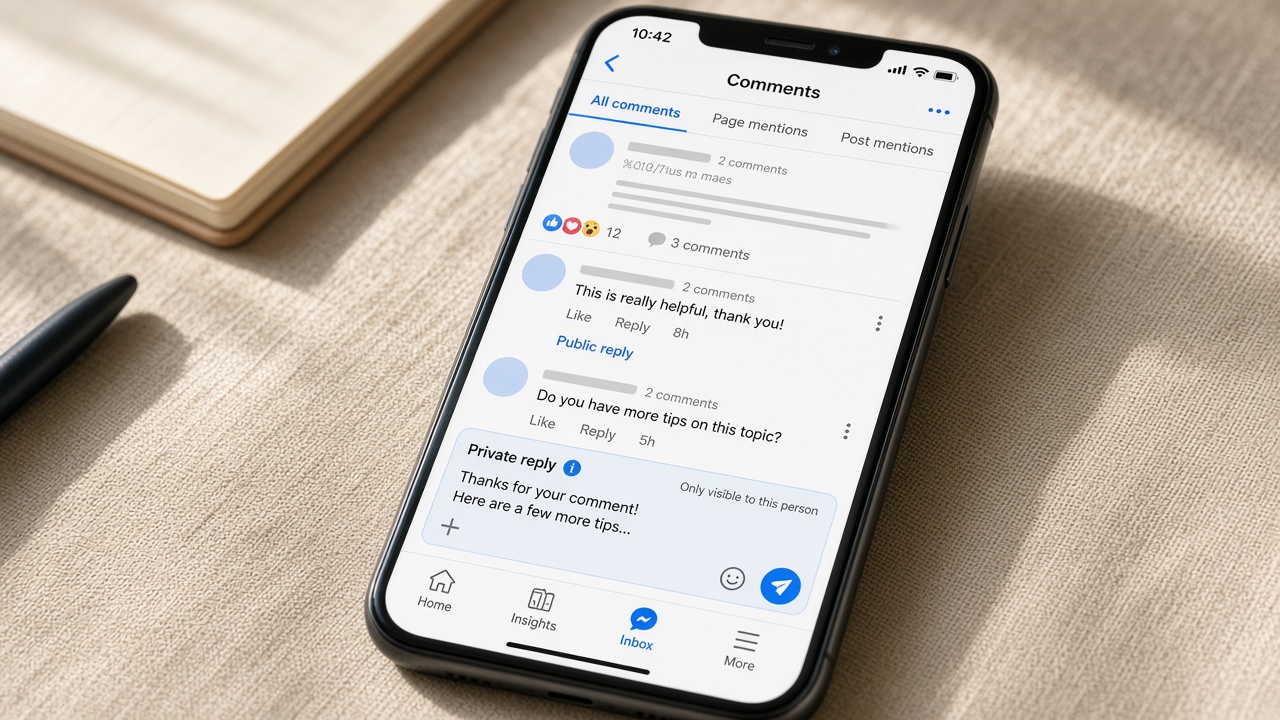
Yes: Meta Business Suite can send a private message when a comment matches a keyword you choose. Facebook allows one private reply per comment within 7 days, and a reply from them opens a 24-hour window. Use the free Comment to message tool for one or two keywords; use AFP.MONSTER when you need public replies, several flows, DMs, spam hiding, or one setup across many Pages.
Can you auto reply to Facebook Page comments?
Yes, in two ways.
- Free: Meta Business Suite has a built-in Comment to message automation that sends a private message to people whose comment contains a keyword you choose.
- With a tool built on Meta's official API: you can reply publicly under the comment, send a DM, branch on different keywords, and hide spam in the same flow.
Use the free option if you only need a private message for one or two keywords. Use a tool when you want public replies, several flows, or one setup across many Pages.
Facebook's rules are the same either way:
- you can send one private reply per comment;
- it has to go out within 7 days of the comment;
- if they reply, you have 24 hours to keep the conversation going.
Free vs paid: which way should you set it up?
| Manual replies | Meta Business Suite "Comment to message" | AFP.MONSTER | |
|---|---|---|---|
| Cost | Free | Free | From $15/month; 3-day free trial, no card |
| Public reply under the comment | Yes, by hand | Not described in Meta's help pages | Yes |
| Private DM to the commenter | Yes, by hand | Yes: text with links/buttons, name personalisation | Yes: text, image, card or buttons |
| Keyword matching | — | Yes, a short list of keywords or hashtags | Reusable keyword lists; contains, exact or "any comment" |
| Different replies for different keywords | — | One message per automation; create several automations | Yes: one campaign per flow, or branches |
| Follow-up messages, delays, tags | — | Not described in Meta's help pages | Yes, on every plan including Starter |
| Hide or delete spam in the same flow | Manual | No | Yes (and block the author on Facebook) |
| Separate | Meta lists Inbox automations for Facebook and Instagram; check what your account offers | Yes, for connected Instagram business accounts, including Instagram ads | |
| Many Pages / a team | Hard | Page by Page | Team plans with shared workspace |
The free way: Meta Business Suite "Comment to message"
Meta says keyword automations are available only in Meta Business Suite on desktop. Menu names change often, so look for these words:
- Open Meta Business Suite on a computer and go to Inbox.
- Open Automations (sometimes behind a settings icon).
- Create a new automation and choose the Comment to message option.
- Add the keywords or phrases that should trigger it.
- Write the message and switch the automation on.
Limits to know before you rely on it:
- It sends a private message. Meta's help pages don't describe a public reply under the comment. In current versions it accepts only a handful of keywords (often 5), which may be case-sensitive, and the message can be delayed by several minutes. Check your account.
- It's one rule per keyword set. There are no multi-step follow-ups, tags or delays.
- It doesn't hide or delete spam. For that, Facebook has separate tools (Page keyword filters and Moderation Assist).
- You set it up Page by Page, which adds up quickly for an agency with many clients.
If that covers what you need, use it: it's free and it's Meta's own. If not, read on.
The flexible way: auto reply with AFP.MONSTER, step by step
AFP.MONSTER automates comment moderation and replies on Facebook Pages and Instagram business accounts, for creators, shops and agencies.
In AFP, an auto reply is a campaign: a small flowchart on a canvas that starts with a comment and ends with the actions you choose. Here's the standard "reply publicly, then DM" setup from the docs.
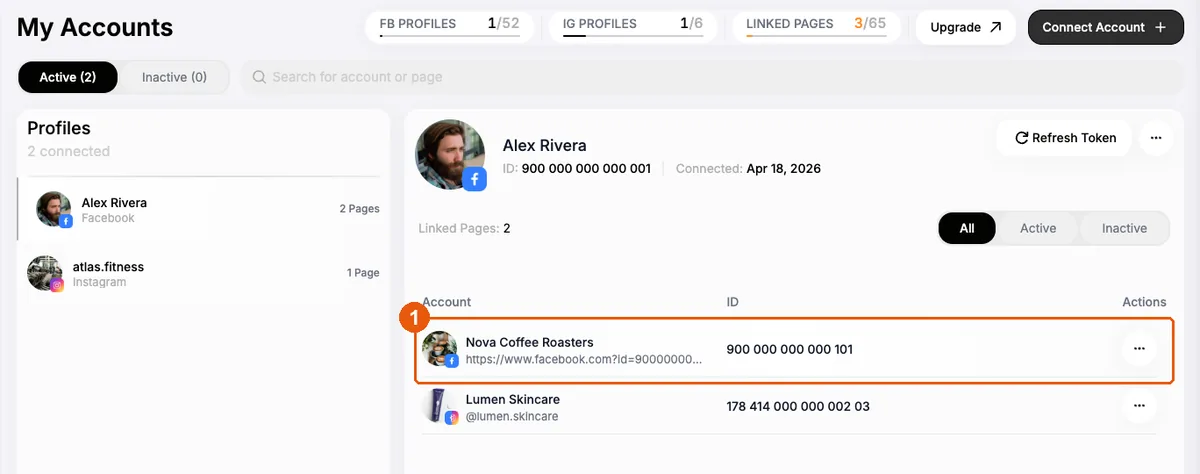
Step 1: Connect your Facebook Page
Sign in with Facebook, pick the Pages you manage, and approve access. An Instagram business account linked to one of those Pages is connected along with it. See Connect a page.
Step 2: Create a keyword list
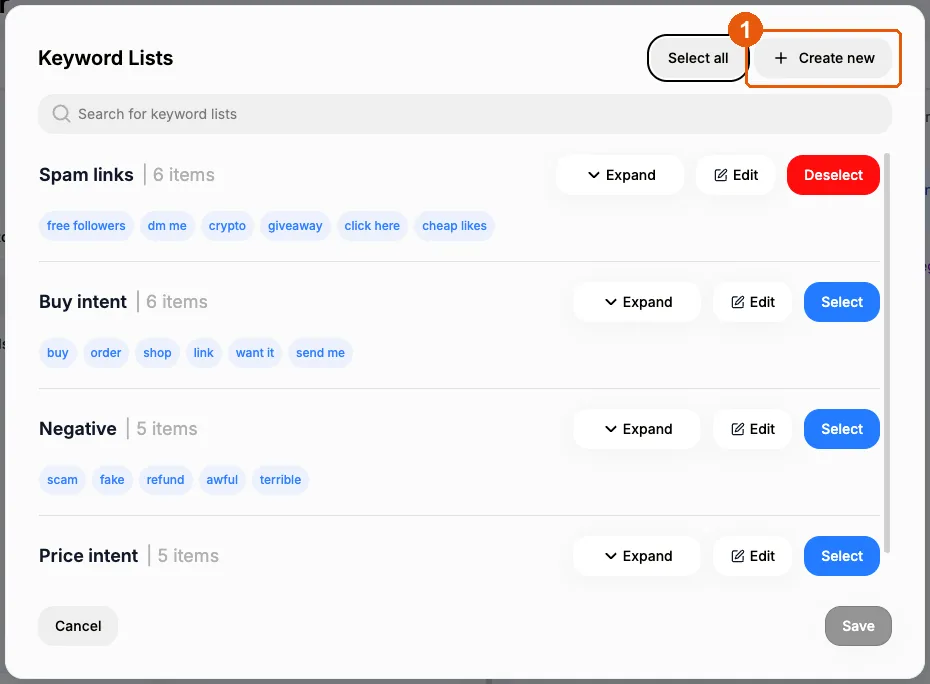
Make a list of the words people use when they want something: "price", "link", "info", "size", or a code word from your post such as "GUIDE". Matching ignores letter case and trims extra spaces, and one list can be reused across campaigns. See Keyword lists.
Step 3: Build the campaign
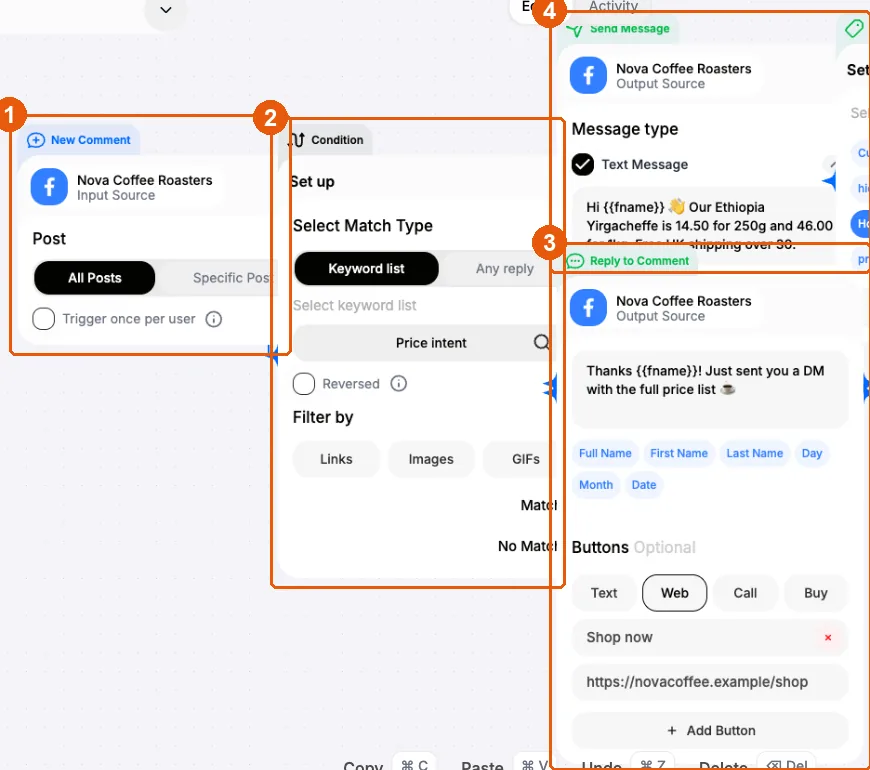
Open Campaigns → + New automation and choose your Page in the header. Then add four nodes in this order:
-
Comment trigger. Listen to every post on the Page, or one specific post (handy for a launch or a giveaway post). Switch on Trigger once per user if each commenter should get the reply only once.
-
Condition. Set it to your keyword list. Use any message instead if you want to answer every comment.
-
Reply to comment. From the Match output, write the public reply. Click the First Name chip under the text box to insert
{{fname}}, for example "Thanks {{fname}}! Sent you the details in DM 📩", and AFP fills in the commenter's first name. -
Send DM. Write the private message (the same name chips work here). It can be plain text, an image, a card with a link button to your product page, or text with buttons.
Optionally, add a hide comment node at the end, for example on price questions you'd rather answer privately. You can also attach a delay and a second message to follow up later. A delay can be set to cancel the rest of the run if the person replies first.
Step 4: Save and switch it on
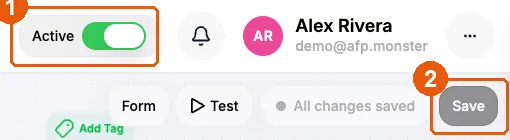
Click Save campaign, then flip the Active toggle in the canvas header. AFP checks the flow before it activates: every node has to be connected and fully set up. See Send your first auto-reply.
Step 5: Test it
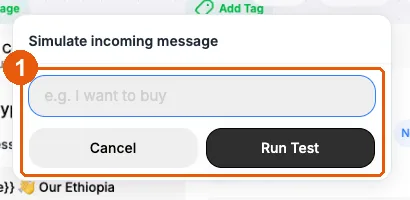
- Click Test on the canvas to run a test execution. It walks your saved flow without sending anything to Facebook.
- Then do a live check: comment with a keyword from a different personal profile (comments the Page posts itself never trigger a campaign) and watch that profile's inbox.
If something doesn't arrive, the Activity tab on the canvas shows exactly which step stopped and why. See Test and debug a campaign.
Ideas that work for creators, shops and agencies
- Creators: lead magnets. "Comment GUIDE and I'll send it to you." A public reply builds momentum under the post, and the DM delivers the link.
- Online shops: price and product questions. Match "price", "cost", "how much" and DM a product card with a buy button. Add a second campaign for "shipping" with your delivery info.
- Agencies: one setup, many clients. Keyword lists are reusable. Team plans add a shared workspace with seats and roles, so client Pages and campaigns live in one place. See Teams.
- Everyone: reply and protect at once. Run a moderation campaign next to your auto reply, so spam links are hidden while real questions get answered. See How to Stop Spam Comments on Facebook Ads.
For more lead-magnet patterns, see Comment-to-DM automation.
Rules every Facebook auto reply has to follow
These come from Meta's platform, not from any one tool:
- One private reply per comment, within 7 days. AFP sends the first DM of a run as that private reply. If they reply, you have 24 hours to keep the conversation going.
- Messaging window. Once a person messages your Page, you can reply freely for 24 hours. Messages outside that window are restricted by Meta's policy.
- No self-triggering. Comments posted by your own Page, including the auto reply itself, never start a new run.
In AFP: One run per person per campaign at a time. If the same person comments again while their run is in progress, the new comment is skipped.
Troubleshooting: why isn't my auto reply working?
| What you see | Likely cause | Fix |
|---|---|---|
| Nothing happens at all | Campaign not saved or not active, or it's on a different Page | Check that the Active toggle is on and there are no unsaved changes, and that the Page in the header matches |
| You tested from the Page itself | Page comments never trigger campaigns | Comment from a personal profile |
| Public reply appears, DM doesn't | Facebook refused the DM; the run stops at that step | Open the execution and read the error on the DM step |
| Wrong people get the reply | Keyword list too broad, or an empty list (which matches everything) | Tighten the list, or use exact matching |
| Two replies to one comment | Two active campaigns on the Page both matched | Keep keyword lists distinct between campaigns |
What it costs
AFP's personal plans:
- Starter: $15/month. Includes comment moderation and the full reply flow in this guide: public reply + DM, product cards with buttons, and delayed follow-ups. Up to 15 campaigns.
- Pro: $25/month. Adds multi-step DM funnels.
- Scale: $70/month. Up to 200 automations and 200 connected Pages.
Yearly billing is cheaper. Team plans for agencies start at $119/month. Every plan starts with a 3-day free trial, no card required, and you can pay by card or crypto. Compare plans on pricing, or see the features overview.
Set up your first auto reply free: 3-day trial, no card. Start now →